Even when your deeplink configuration is correct, browser and OS behavior can still prevent app opening. The most common cases are listed below.
| Platform | Issue | Explanation / recommendation |
|---|---|---|
| Android | App links don't work in Samsung Internet Browser | The Samsung Internet Browser app has a safety feature that blocks any app link from working. They believe it's more safe to open an URL in browser instead of suddenly opening an app without user permission. This is something the user has to turn off in the settings of the Samsung Internet browser app. 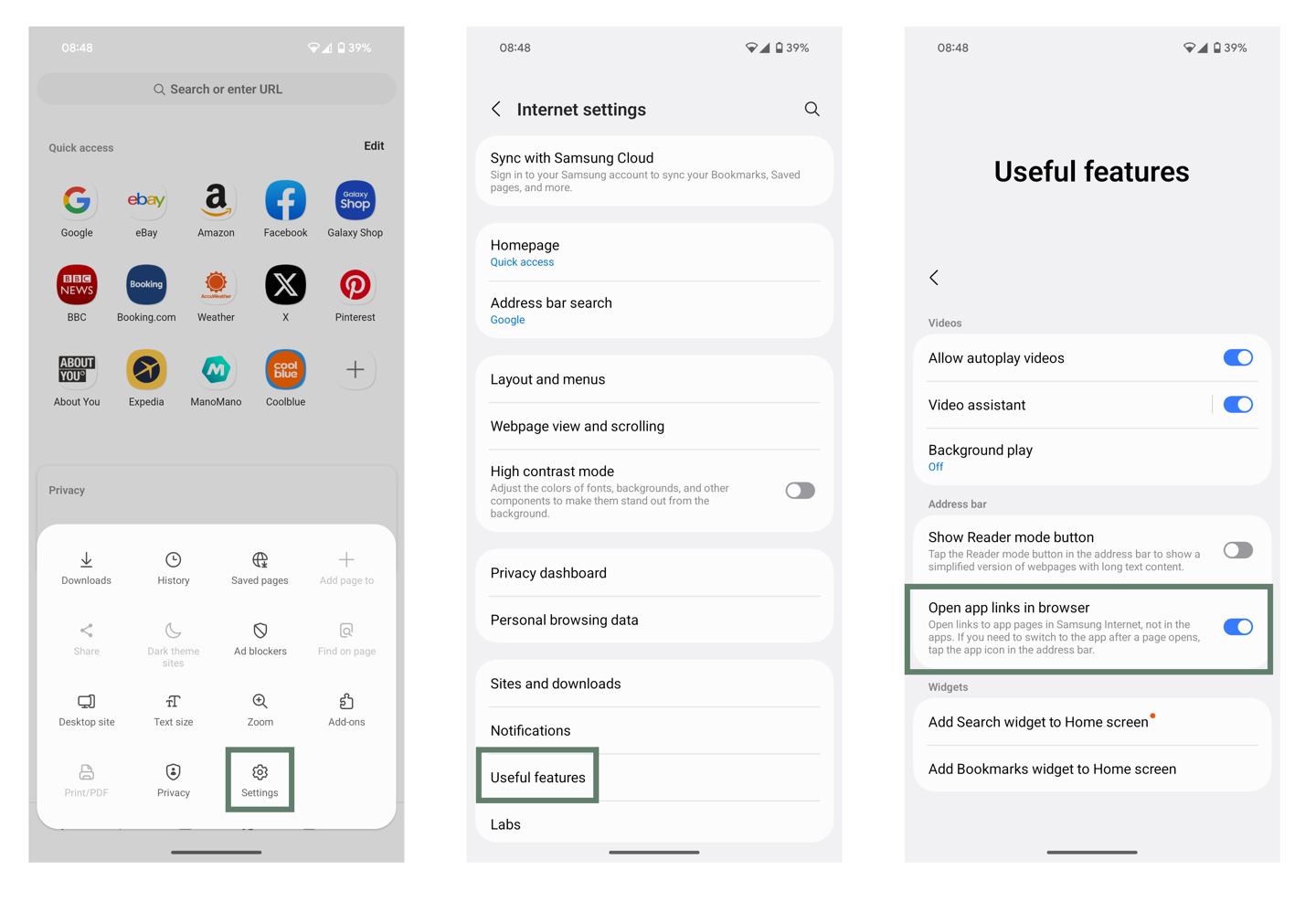 |
| Android + iOS | App links / Universal links don't work in Firefox | The Firefox app has a setting to deny the automatic opening of an app instead of the URL. 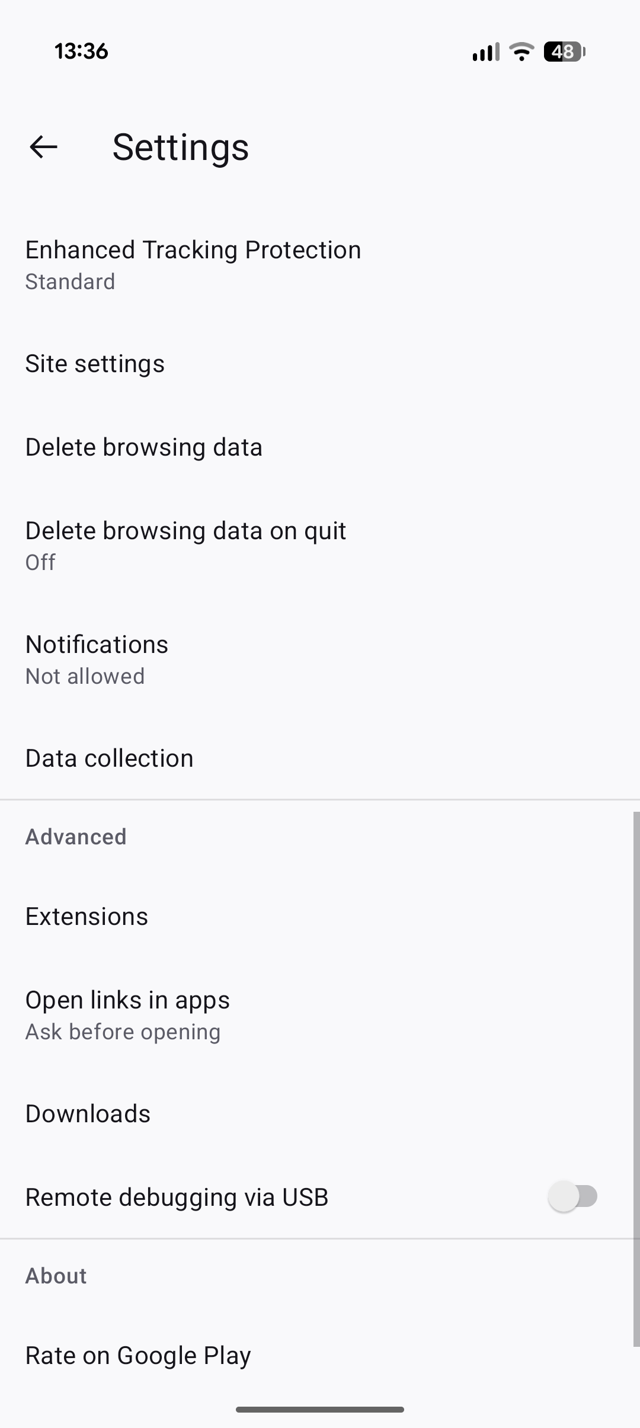 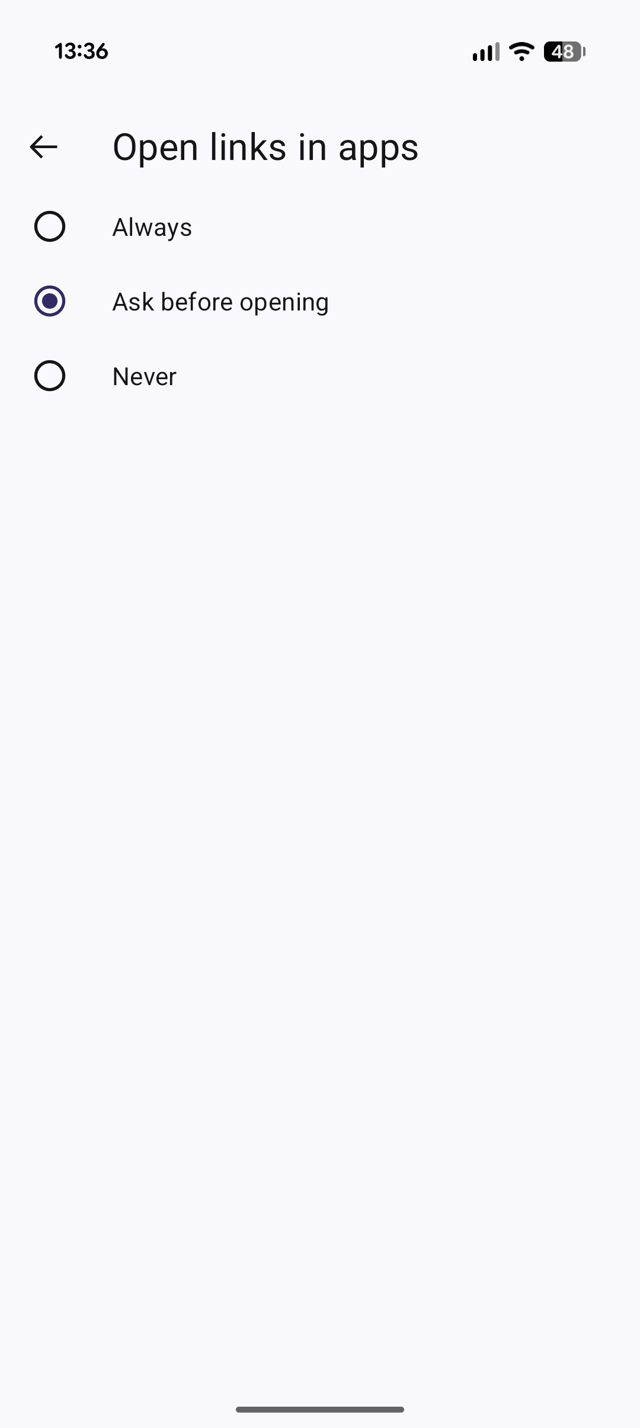 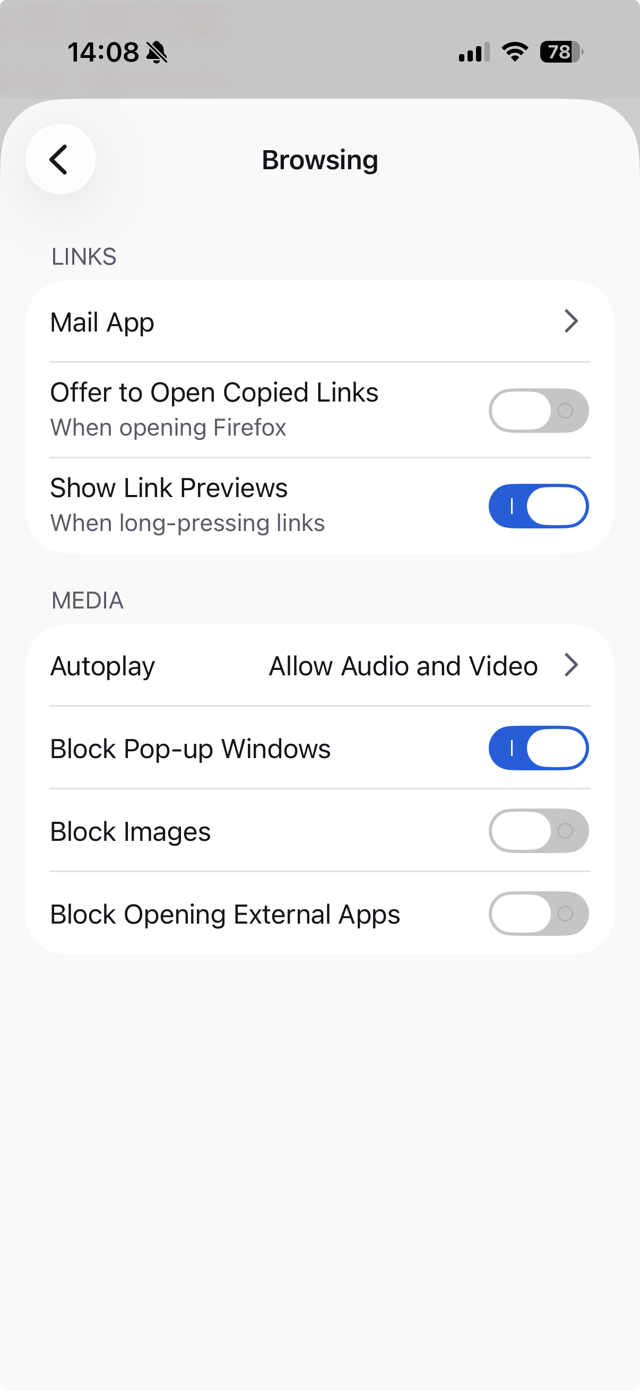 |
| iOS | Universal links fail in Safari after cancelling popup | Sometimes the Safari app presents a permission popup, asking if a specific URL can open an app instead. If you select CANCEL in this popup, then the universal link for the specific URL will never work again. The only solution is to clear the Safari app cache and try again. 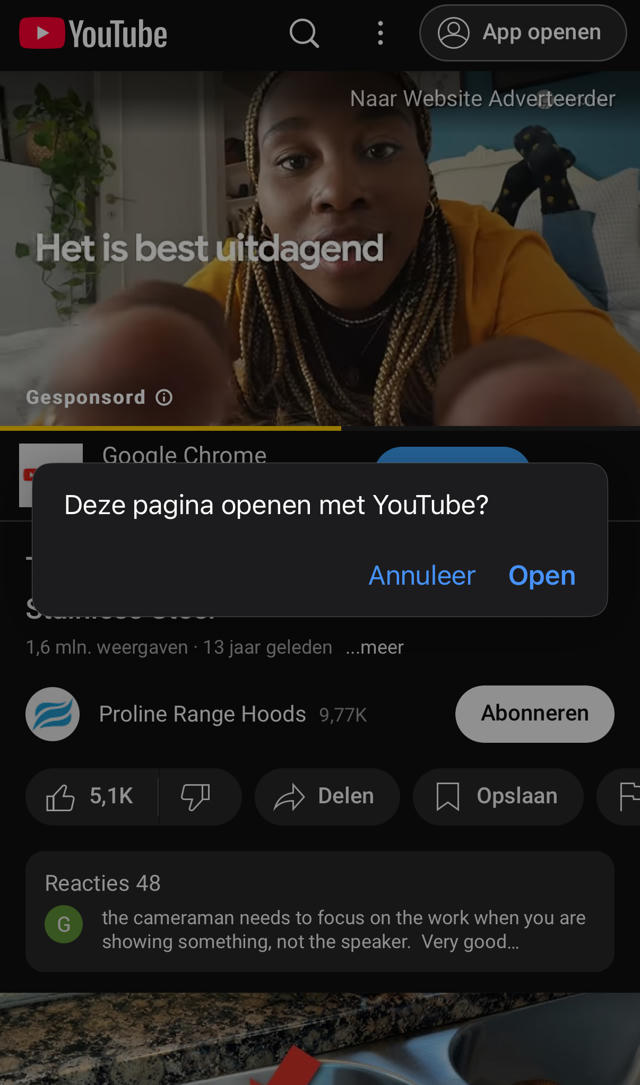 |
| Android + iOS | Usage of Chrome Custom Tab or similar in-app browser | If the redirect happens within a Chrome Custom Tab or a similar in-app browser, the final link might be treated as a regular web link instead of a deeplink, causing it to open in the browser rather than in the app. Always open the deeplink in the default browser app instead of in-app browsers. |
| Android + iOS | Time delays and timing issues | Delays between redirects can break deeplink resolution. Keep the redirect chain short and immediate. |
| Android + iOS | Browser caching issues | Caching mechanisms involved in the redirect chain might hold onto outdated or cached information, interfering with the proper handling of the App Link and causing it to not open the app. |
| Android + iOS | Too many redirects without user action | Redirect Handling: Modern browsers on Android, such as Chrome, have implemented security measures to prevent unwanted redirects. If a deeplink is triggered after a redirect, the browser might block or ignore the link to avoid potential security risks, resulting in the link not opening in the app. Mixed Content: If the redirect involves switching between different protocols (e.g., from http to https or vice versa), the browser might block the deeplink due to mixed content rules or other security concerns. App Link Verification: Deeplinks require the target domain to be associated with the app through the assetlinks.json file. After a redirect, this association might not be properly recognized by the OS, causing the App Link to fail to open in the app. User-Initiated Actions: After a redirect, the browser or OS may require a user-initiated action (like a tap) to open the deeplink in the app. If the deeplink is triggered automatically without such an interaction, it might not work as expected. |
| iOS | The universal link has no content | When using universal links, Apple requires that the page has some content. If the page returns an error, for example a 404, this response will be cached and the URL will not reach the application. |
| iOS | Safari refuses to open a universal link in the correct app | When the fallback page of a universal link once resulted in an SSL error or a 404, the result is cached. Any future attempts to open an app with its universal link will fail. To remedy this: - Go to Settings > Safari - Scroll down to the “History and website data section” - Press “Remove History and Website Data” |
| iOS | CODIT & default browser app | When you still use the CODIT setup and change the default browser on your iPhone from Safari to something else, it’s possible that the deeplink will fail because the itsme webpage applies a redirect without user interaction. |
| iOS 26.2+ | Redirect from itsme app to browser/ app does not work | Since iOS 26.2, Apple allows the Safari browser to be removed (EU requirement) and be replaced with any other browser app. Due to a bug, this can have the side-effect that external links from any app (including the itsme app) no longer open. Reinstalling the Safari app fixes this. |